
API Keys
API keys are used to authenticate requests to Mixlayer APIs. You can create an API key in the Mixlayer console.
For production workloads that can present an OIDC token or X.509 certificate, use workload identity federation instead of storing a long-lived API key.
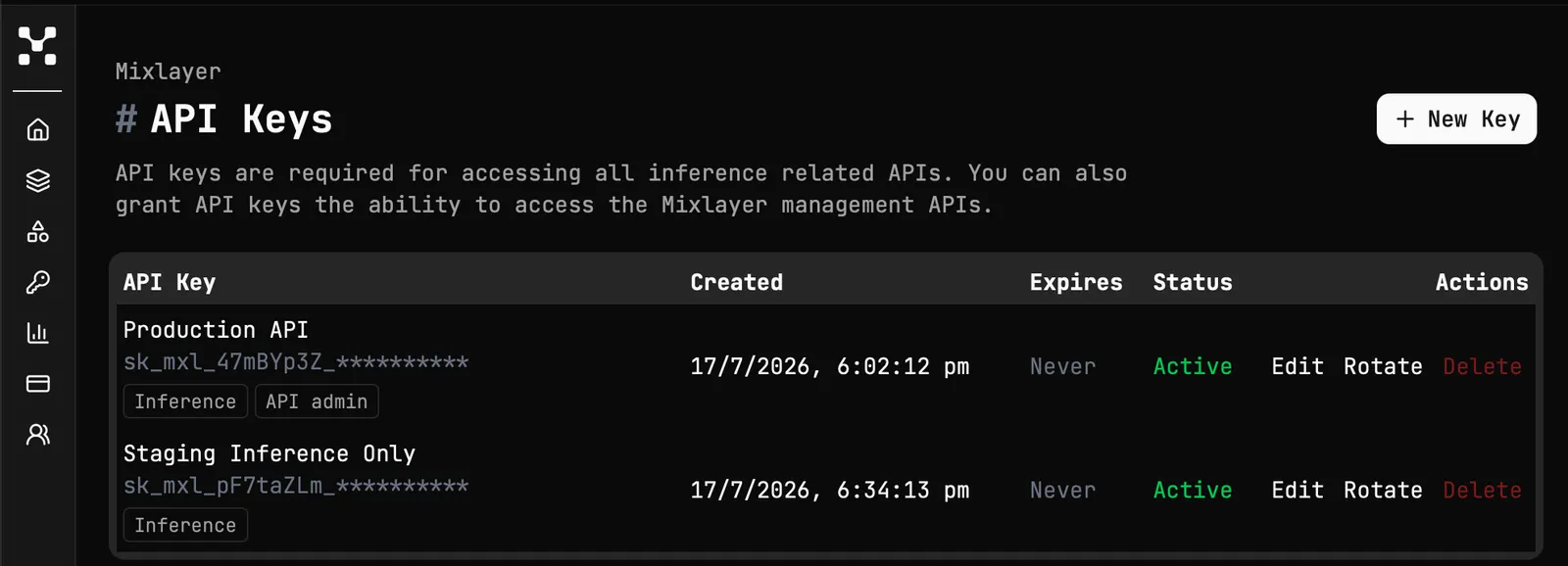
Select + New Key to create a new API key. Once the key is created, be sure to save it somewhere safe. You will not be able to access it again after you leave the page. We are unable to recover your key if you lose it.
When creating a key, you can give it a name to help identify what it’s used for, set permissions, and optionally set an expiration date after which the key will stop working. You can also rotate an existing key from the console — rotation issues a new secret while preserving the key’s name and settings, so you can swap it into your application without creating a new entry.
Permissions
API keys can be limited to specific Mixlayer capabilities.
api-write includes api-read, and api-admin includes both api-read and api-write.
An API key with api-admin can only create or update another key with permissions it already has.